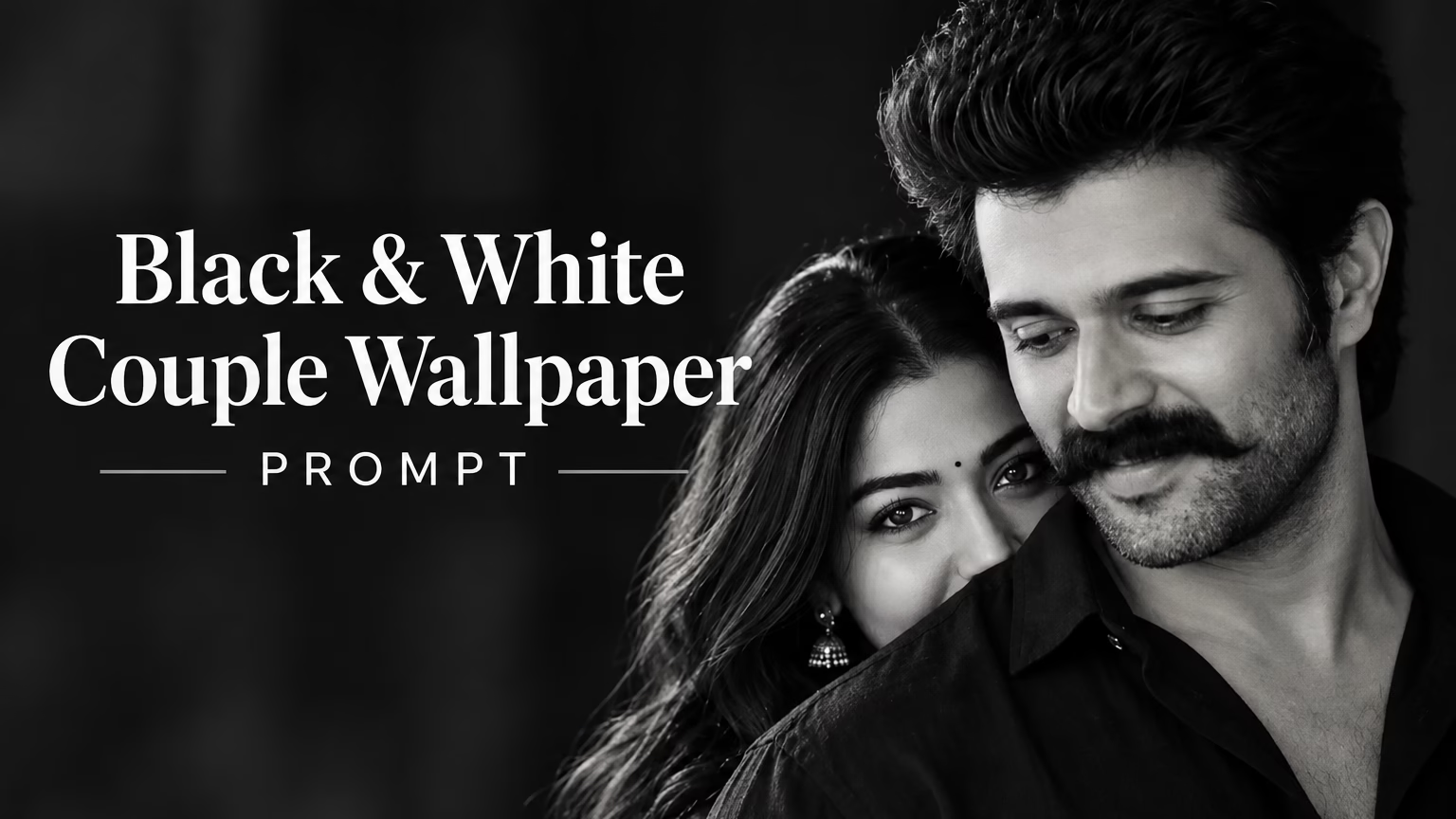
Create a stunning romantic portrait with this Black and White Couple Wallpaper Prompt. This trending photography style combines dramatic lighting, deep shadows, realistic skin texture, and an intimate couple pose to produce a beautiful cinematic wallpaper.
Whether you want to create a romantic phone wallpaper, a stylish couple portrait, or a memorable AI-generated photo, this prompt can help you achieve a professional monochrome photography look.
You can use the prompt with a compatible AI image generator and customize the appearance according to your preferences. For the best personalized result, upload your own reference photos when supported by your chosen tool.
What Is a Black and White Couple Wallpaper Prompt?
A Black and White Couple Wallpaper Prompt is a detailed text instruction used to generate a romantic monochrome couple portrait with AI. It describes the subjects’ poses, facial expressions, clothing, lighting, background, camera style, and overall mood.
This particular style features a young man in the foreground and a young woman peeking out from behind his shoulder. The man’s gentle expression and the woman’s direct gaze create an intimate, cinematic composition.
The black background, soft directional lighting, and fine film grain add depth and make the portrait look like professional fine-art photography.
Trending Black and White Couple Wallpaper Prompt
Use the following AI photo prompt to recreate this romantic cinematic style. You can copy it and paste it into an image generator that supports detailed text prompts and reference images.
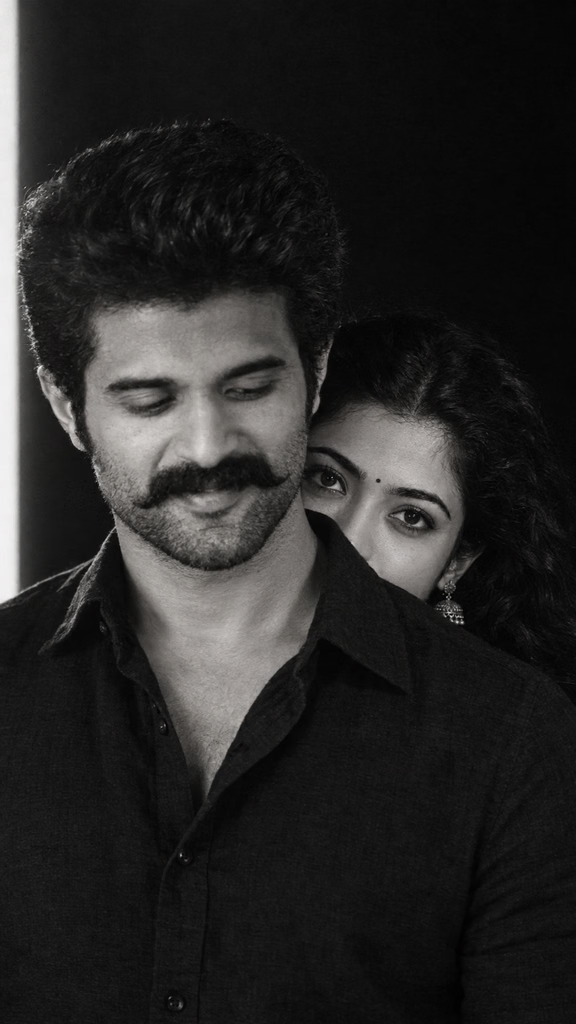
Photo Prompt 👇:
Black and white cinematic couple portrait, vertical 9:16. A young man in the foreground, cropped from head to chest, head slightly turned and tilted down, eyes looking downward, a faint gentle smile. Short dark voluminous wavy hair, neatly trimmed full beard, wearing a black collared linen shirt with the top buttons open. Behind his right shoulder, a young woman peeks out so that only her forehead, eyes and upper cheek are visible, her chin hidden behind his shoulder. She has long, dark, curly, voluminous hair, a small round bindi on her forehead, a silver oxidized jhumka earring, defined eyebrows and kohl-lined eyes. She looks straight into the camera with an intense, soft, curious gaze. Dark, near-black background with a thin vertical strip of light at the far left edge. Soft directional window light from the front-left, deep shadows, high contrast, rich blacks, fine film grain. Shallow depth of field, shot on 85mm lens at f/1.8, sharp focus on her eyes, the man slightly soft. Moody, romantic, intimate, fine-art monochrome photography, ultra-detailed skin texture, realistic.
How to Create a Black and White Couple Wallpaper With AI
Follow these simple steps to generate your own romantic couple wallpaper.
Step 1: Open an AI Image Generator
Open your preferred AI image-generation tool. Choose a tool that supports realistic portrait generation and, if needed, uploading reference images.
Step 2: Upload Your Reference Photos
If you want the generated portrait to resemble you and your partner, upload suitable reference photos when the tool supports them. Use clear, well-lit images so the AI can better understand the facial features.

If you only want a similar aesthetic, you can try generating the image directly from the text prompt.
Step 3: Copy and Paste the Prompt
Copy the complete Black and White Couple Wallpaper Prompt from this article and paste it into the image generator’s prompt box.
The prompt describes the couple’s pose, hairstyles, expressions, clothing, lighting, camera settings, and monochrome photography style.
Step 4: Generate the Image
Click the Generate button and wait for the result. The first output may not match your expectations perfectly, so you can refine the prompt or try again if your tool allows it.
Step 5: Save Your Couple Wallpaper
Once you are happy with the result, download the generated image. You can use it as a phone wallpaper, save it to your gallery, or share it on your preferred social media platform.
Best Features of This Romantic Couple AI Prompt
This Black and White Couple Wallpaper Prompt focuses on several visual details that make the final portrait stand out.
Cinematic Black and White Photography
The monochrome treatment creates a timeless appearance with rich blacks, balanced highlights, and detailed shadows.
Romantic Couple Pose
The man stands in the foreground while the woman peeks out from behind his shoulder. This arrangement gives the image an intimate and natural feeling.
Soft Directional Lighting
Light coming from the front-left side highlights the subjects’ facial features while preserving the dark background.
Realistic Skin Texture
The prompt requests realistic skin details and fine film grain to help create a photographic appearance rather than an overly smooth, artificial image.
Vertical 9:16 Composition
The vertical composition is suitable for phone wallpapers, lock screens, and portrait-oriented social media posts. Actual cropping may vary depending on the image generator.
Tips for Getting Better AI Couple Portraits
- Use clear reference photos when you want a personalized result.
- Keep the original prompt intact for your first generation.
- If the faces look different from your references, try a tool with stronger image-reference or identity-preservation controls.
- Generate multiple variations if your tool supports it.
- Avoid adding too many conflicting instructions about lighting, pose, or facial expressions.
- If you want a brighter portrait, ask for slightly softer shadows while keeping the monochrome style.
- Check the final image before sharing it, especially the eyes, hands, earrings, and facial details.
Remember that AI-generated results can vary. A text prompt alone cannot guarantee an exact match to a reference photo.
Create Your Couple Wallpaper With ChatGPT
You can also try creating a romantic AI couple portrait using ChatGPT. Open ChatGPT, upload your reference photo if needed, and enter the Black and White Couple Wallpaper Prompt provided above. Describe the pose, lighting, clothing, and black-and-white photography style you want. ChatGPT can help generate an image based on your instructions, although the final result may vary depending on your prompt and the available features.
Frequently Asked Questions
1. How do I create a black and white couple wallpaper with AI?
Open an AI image generator, enter the complete prompt from this article, adjust the image settings if available, and generate the portrait. Upload reference photos if you want a more personalized result.
2. Can I use my own couple photos?
Yes, if your chosen AI tool supports image uploads and the images are yours to use or you have permission to use them. Reference images may help guide the result, but exact facial preservation is not guaranteed.
3. Can I use this prompt for a phone wallpaper?
Yes. The prompt specifies a vertical 9:16 composition, making it suitable for phone wallpaper creation. You may need to crop the final image to fit your device’s screen.
4. Why does my generated image look different from the reference?
AI image generators interpret prompts differently. The output can change depending on the model, uploaded references, settings, and wording. Try generating another variation or refining the facial details, pose, and lighting instructions.
5. Can I change the clothing or background?
Yes. You can edit the prompt to request different clothing, a brighter background, softer lighting, or another romantic pose while keeping the black and white photography style.
6. Is this Black and White Couple Wallpaper Prompt free to use?
The prompt text in this article is available for you to copy. However, access to AI image generators and their image-generation features may require a free account, credits, or a paid subscription depending on the service.