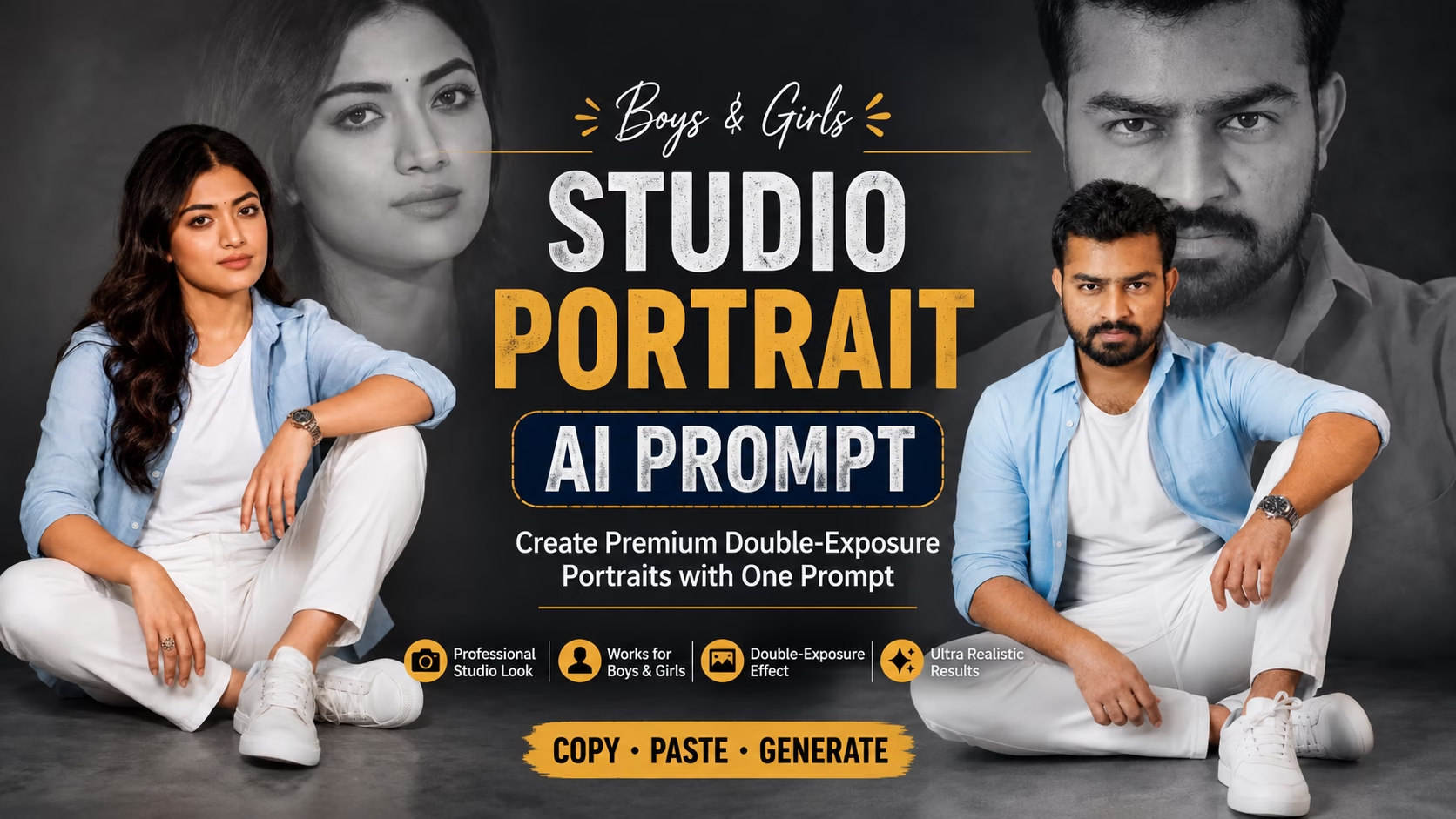
Studio Portrait AI Prompt for Boys & Girls: Create Premium Double-Exposure Photos
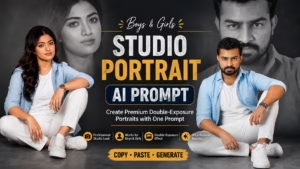
Want to transform your regular photo into a stylish studio portrait? This Studio Portrait AI Prompt can create a premium double-exposure effect while preserving your original facial identity, skin tone, hairstyle, and natural features. The same prompt can be used for both boys and girls to create realistic and professional-looking AI portraits.
One of the best things about this prompt is that it can work for both boys and girls. Simply upload a suitable reference photo and use the prompt with an AI image-generation tool.
Studio Portrait AI Prompt for Boys & Girls
Prompt 👇
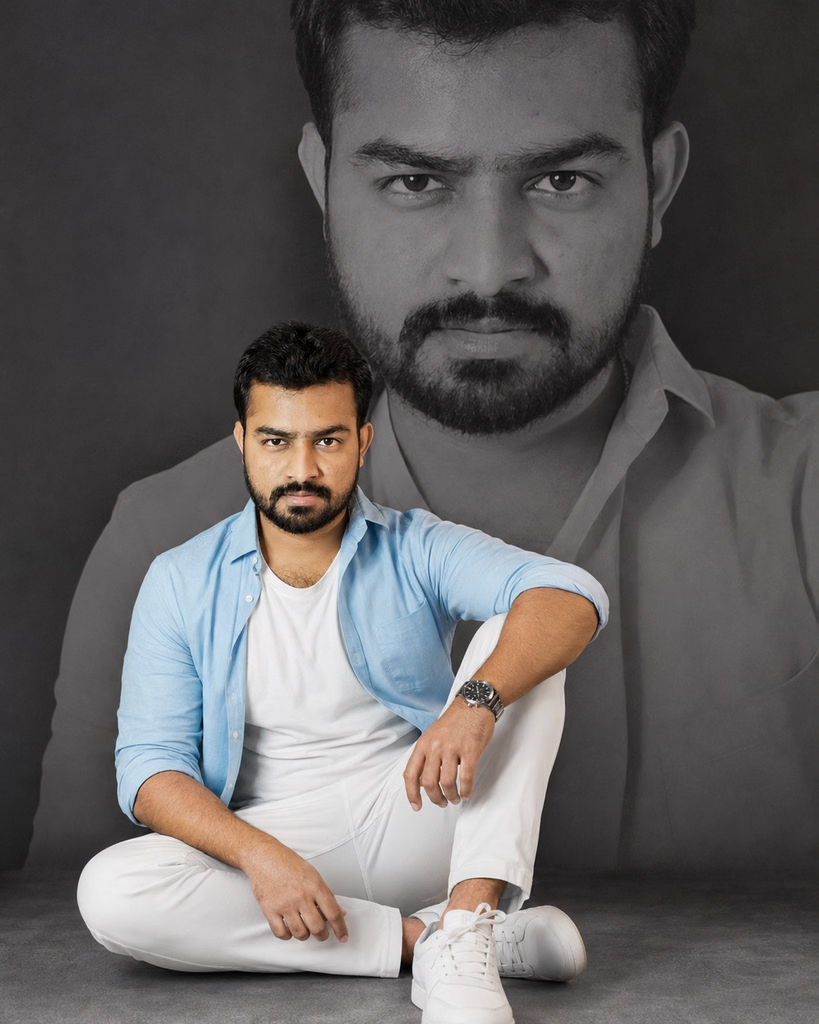
Ultra-realistic professional studio portrait using the uploaded reference image. Preserve the person's facial identity, facial structure, skin tone, hairstyle, hair texture, and natural features accurately without changing their recognizable appearance.

Show the person sitting comfortably cross-legged on a smooth gray studio floor, with one knee naturally raised. Give the subject a relaxed yet confident expression while looking directly toward the camera.

Dress the person in a stylish open Sky blue plain shirt layered over a clean white T-shirt, paired with white trousers and modern white sneakers. Add a sophisticated wristwatch for a subtle fashion-editorial touch.

Behind the main subject, create a large faded monochrome close-up portrait of the same person. The background portrait should blend smoothly into the dark gray studio backdrop, creating an elegant premium double-exposure photography effect.

Keep the main subject sharp, realistic, and clearly separated from the background portrait. Use soft diffused studio lighting, gentle cinematic shadows, realistic skin pores, natural fabric texture, balanced contrast, and professional fashion photography aesthetics.

Minimal gray studio environment, clean composition, sophisticated editorial mood, realistic proportions, natural pose, subtle depth of field, high dynamic range, 85mm portrait lens, f/1.8, professional studio photography, ultra-photorealistic, highly detailed, premium magazine-style portrait, 8K quality, vertical 4:5 composition.

Avoid changing the person's recognizable facial features or identity. Maintain realistic hands, fingers, body proportions, clothing details, and natural lighting.
How to Use the Studio Portrait AI Prompt
Using the Studio Portrait AI Prompt is simple. First, upload a clear reference photo where the person’s face is visible. Then paste the complete prompt into your preferred AI image-generation tool and generate the portrait.
For the best results, choose a high-quality image with good facial visibility and avoid heavily blurred or extremely dark reference photos.
Can Boys and Girls Use the Same Prompt?
Yes. The Studio Portrait AI Prompt can be used for both boys and girls because the main instructions focus on the studio setup, pose, lighting, double-exposure effect, and identity preservation rather than a specific gender.
However, the clothing can be customized if you want a more traditionally masculine or feminine fashion style.

Why This Prompt Creates a Premium Look
The combination of soft studio lighting, monochrome background portrait, realistic skin texture, cinematic shadows, and editorial composition gives the final image a professional photography appearance.
The large faded portrait in the background also creates a stylish double-exposure effect without distracting from the main subject.
Tips for Better AI Portrait Results
For the best Studio Portrait AI Prompt results:
- Use a clear, high-resolution reference photo.
- Make sure the face is clearly visible.
- Avoid photos with extreme filters.
- Use consistent lighting whenever possible.
- Keep the main subject sharp and the background portrait subtle.
- If the AI changes the face, regenerate using a better reference image.
- Experiment with different outfits while keeping the same studio composition.
Create Your Own Double-Exposure AI Portrait
You can also customize this Studio Portrait AI Prompt by changing the outfit, background color, pose, lighting style, or expression. For example, you can replace the gray studio background with a black, beige, or white setup depending on the style you want.
This makes the prompt useful for Instagram DP, profile pictures, fashion portraits, social media posts, and professional AI photography.
Conclusion
A well-written Studio Portrait AI Prompt can turn a simple reference photo into a stylish and realistic studio portrait. Since this prompt is designed to work for both boys and girls, you can experiment with different outfits, poses, and backgrounds while keeping the same premium double-exposure concept.
For more AI photo-generation ideas, you can also explore ChatGPT and use your reference image together with customized prompts.
Frequently Asked Questions
1. What is a Studio Portrait AI Prompt?
A Studio Portrait AI Prompt is a text prompt that helps AI tools create a professional, realistic studio-style portrait from a reference photo.
2. Can I use this prompt for both boys and girls?
Yes, this prompt can be used for both boys and girls. You can also customize the outfit, pose, background, and overall style.
3. Can I use my own photo with this AI prompt?
Yes. You can upload your clear reference photo and use the prompt to create a realistic studio portrait while maintaining your facial identity.
4. Can I change the outfit and background?
Yes. You can easily customize the outfit, background color, lighting, pose, and other elements according to your preference.
5. Which AI tools can I use for this Studio Portrait Prompt?
You can use this prompt with AI image-generation tools that support reference images and text prompts. The final result may vary depending on the tool.
6. What aspect ratio is best for a Studio Portrait AI image?
A 4:5 vertical aspect ratio is a great choice for studio portraits, especially for Instagram posts, profile photos, and other social media content.