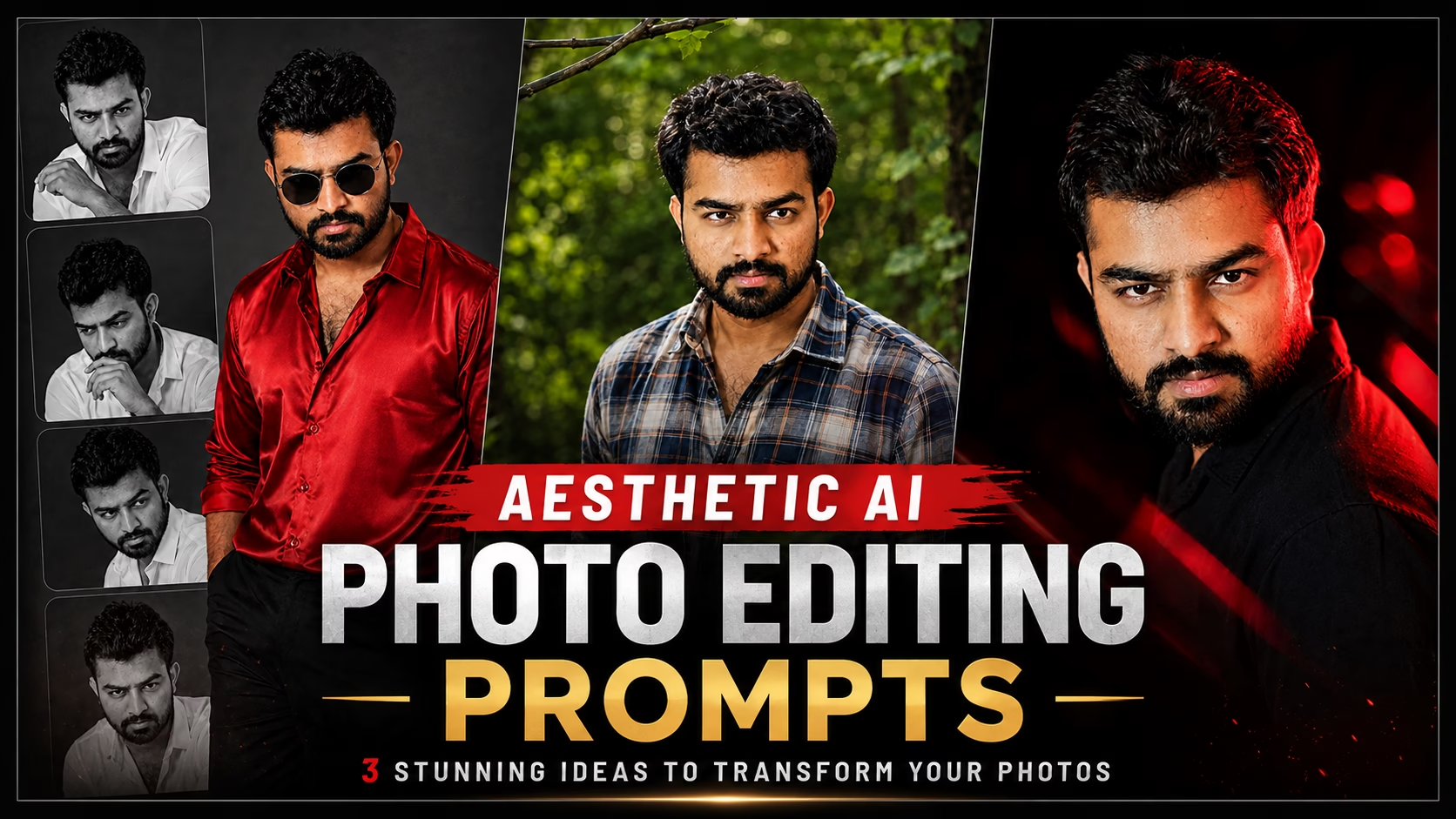
Transform your ordinary photos into stylish, cinematic, and professional AI portraits with these 3 stunning Aesthetic AI Photo Editing Prompts. ✨
Aesthetic AI Photo Editing Prompts
These aesthetic AI photo editing prompts can help you transform ordinary photos into stylish and professional-looking portraits. You can experiment with cinematic lighting, dramatic backgrounds, different outfits, colors, and creative visual effects to give your photos a unique aesthetic look. Simply upload your photo and use the right prompt to create an eye-catching AI-edited image.
Prompt 1 – Luxury Red Shirt Aesthetic
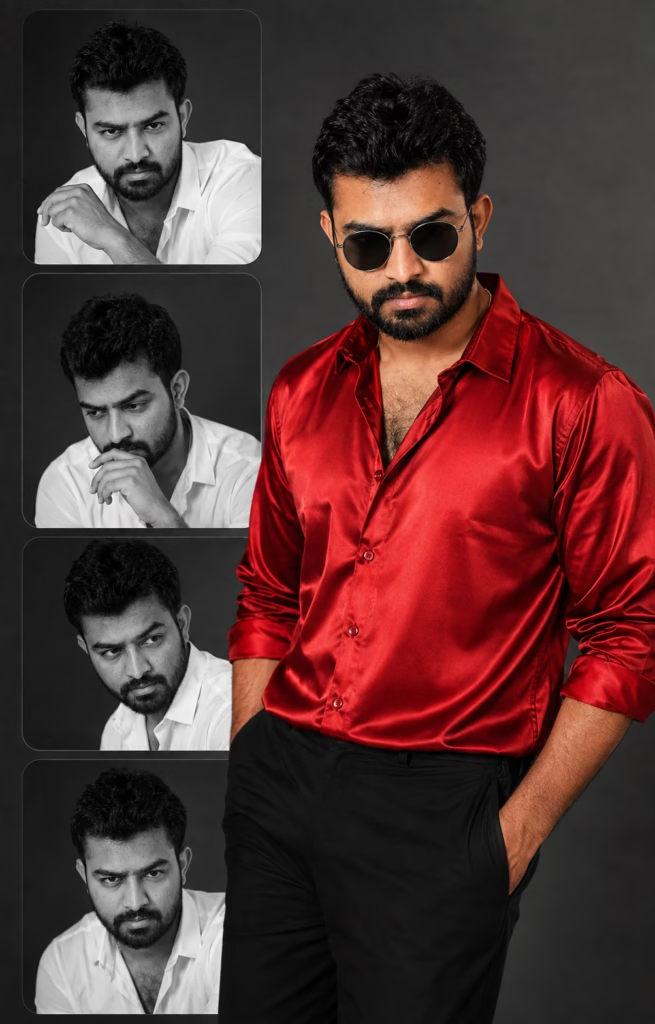
Prompt 1👇
Ultra-realistic editorial fashion collage portrait of a stylish man, standing confidently in the foreground wearing an oversized vibrant red satin shirt with rolled-up sleeves, black tailored trousers, one hand in pocket, and round black sunglasses. Calm, confident expression with sharp facial features and soft cinematic lighting. Behind him, a minimalist collage of four stacked black-and-white portraits of the same person inside rounded rectangular frames, each showing a different pose and expression (relaxed, thoughtful, side glance, and intense eye contact). Clean gray studio background, high-contrast monochrome aesthetic with selective red color accent only on the foreground shirt. Luxury magazine cover style, premium fashion editorial, ultra-detailed skin texture, realistic fabric folds, soft shadows, balanced composition, depth of field, 85mm lens, HDR, photorealistic, ultra-sharp focus, 8K quality. Vartical aspect retio 4:5
Prompt 2 – Nature Aesthetic
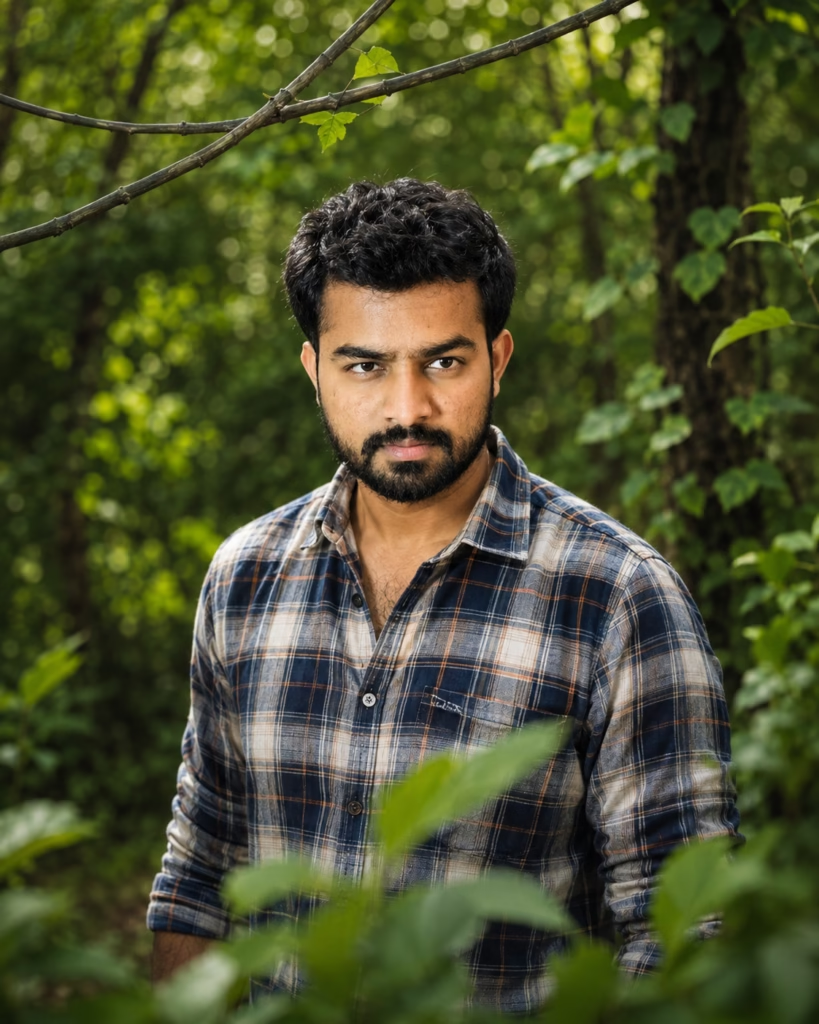
Prompt 2👇
Ultra-realistic portrait of the person from the uploaded reference image, preserving their exact face, identity, hairstyle, skin tone and natural facial features. The person is standing in a dense lush green forest surrounded by beautiful foliage, wearing a casual checkered shirt. Natural relaxed expression, looking slightly to the side. Foreground leaves softly framing the subject, thin curved branch above, vibrant green background, soft diffused sunlight filtering through trees, beautiful creamy bokeh, shallow depth of field, natural skin texture, cinematic outdoor photography, highly detailed, photorealistic, HDR, 85mm lens, f/1.8, 8K, vertical 4:5.
Prompt 3 – Dark Cinematic Aesthetic
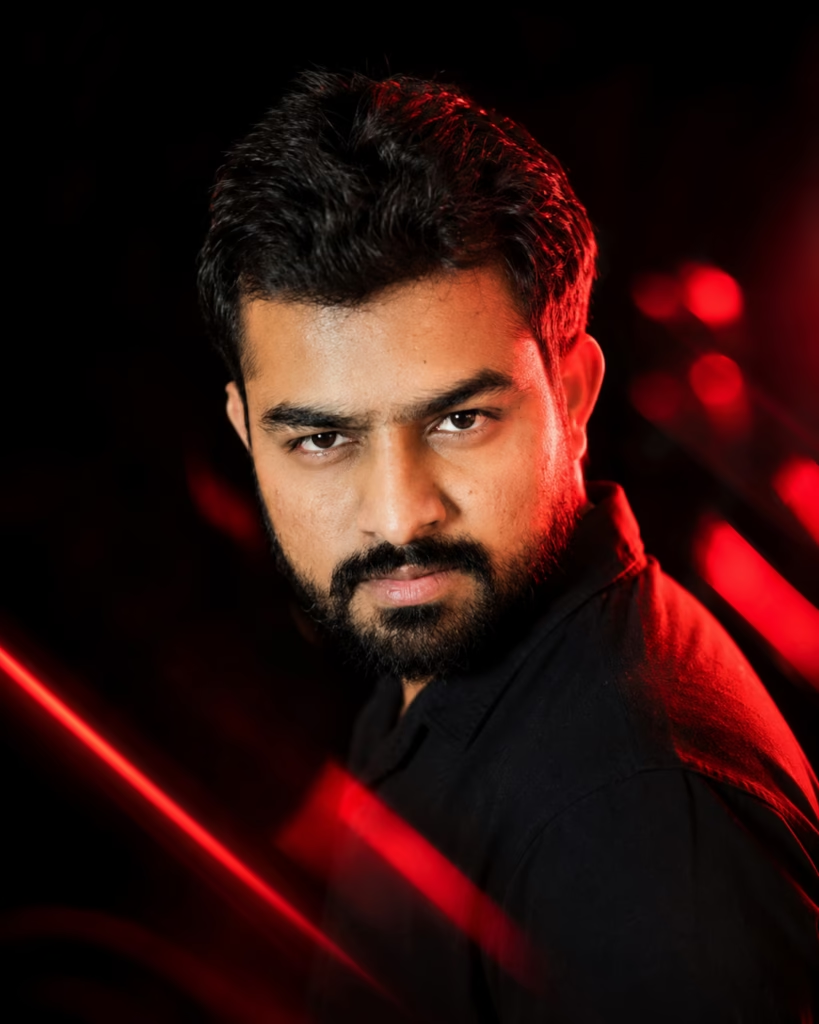
Prompt 3👇
Ultra-realistic 8K cinematic close-up portrait of the person from the uploaded reference image, STRICT IDENTITY LOCK, preserve the exact face, facial structure, skin tone, hairstyle and natural features. Dramatic over-the-shoulder three-quarter view, intense confident expression, wearing a plain black shirt. Deep black background with cinematic red rim lighting, glowing red light streaks in the foreground, soft red bokeh and highlights, deep shadows, high contrast, HDR, realistic skin texture, sharp eyes, shallow depth of field, premium fashion editorial photography, 85mm lens, f/1.4, photorealistic, vertical 4:5.
How to Create Aesthetic AI Photos
Creating aesthetic AI photos is simple. You only need a clear photo and a good AI photo editing prompt.
Step 1: Upload your selected photo to the AI image tool. For better results, use a high-resolution image with a clear face.
Step 2: Copy one of the prompts given below.
Step 3: Paste the prompt along with your uploaded photo and generate the image.
Step 4: If you want a different result, generate another variation or adjust the prompt according to your preferred style.
Tips for Better Aesthetic AI Photos
For better AI photo results, always use a clear and high-resolution image. Make sure your face is clearly visible and avoid blurry or heavily edited photos.
You can also experiment with different outfits, backgrounds, lighting styles and photography effects. If you want the final image to look like you, clearly mention that your facial identity and natural features should remain unchanged.
Where Can You Use Aesthetic AI Photos?
These aesthetic AI portraits can be used for Instagram posts, Instagram profile pictures, Facebook posts, YouTube thumbnails, WhatsApp profile photos, Pinterest posts and other social media content.
You can create different versions of the same photo by changing the outfit, background, lighting and overall photography style.
Conclusion
These aesthetic AI photo editing prompts can transform your ordinary photos into stylish, cinematic, and professional-looking portraits. With a clear photo and the right prompt, you can create luxury, nature and cinematic styles in just a few steps.
Try these 3 Aesthetic AI Photo Editing Prompts with your own photo and create a unique AI portrait that matches your personal style.
You can upload your photo to ChatGPT and use the prompts above to create your own aesthetic AI portraits.
Frequently Asked Questions (FAQ)
1. What can I create with aesthetic AI photo editing prompts?
You can create different styles such as luxury fashion portraits, nature-themed photos, dark cinematic portraits, and other creative AI looks.
2. Will my face remain the same in an AI-edited photo?
For better facial consistency, use a clear reference photo and mention that your identity, facial structure, hairstyle, and natural features should remain unchanged.
3. What type of photo gives the best AI editing results?
A high-resolution photo with a clearly visible face generally gives better results. Avoid blurry or heavily edited images.
4. Can I change the outfit and background using these prompts?
Yes. You can modify the outfit, background, lighting, colors, camera style, and other visual elements to create a different aesthetic.
5. Where can I use aesthetic AI photos?
You can use them for Instagram posts and profile pictures, Facebook posts, YouTube thumbnails, WhatsApp profile photos, Pinterest posts, and other social media content.