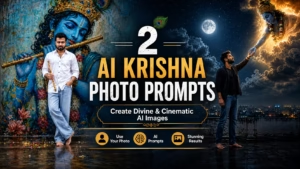
Bhagavad Gita AI Photo Prompt can help you create a cinematic and devotional portrait using your own reference photo. This prompt creates a realistic scene. One beautiful concept is a devotional portrait inspired by the Bhagavad Gita, featuring Lord Krishna and Arjuna on the Kurukshetra battlefield.
In this AI photo prompt, your uploaded reference photo is transformed into a realistic portrait of a young Indian man respectfully admiring a magnificent painting of Krishna and Arjuna. The combination of a luxurious interior, warm golden lighting, traditional clothing, and the spiritual battlefield scene creates a dramatic and devotional atmosphere.
You can use this prompt with your own reference photo to create a personalized Bhagavad Gita-inspired AI portrait while keeping the person’s facial identity consistent.
What This AI Prompt Creates
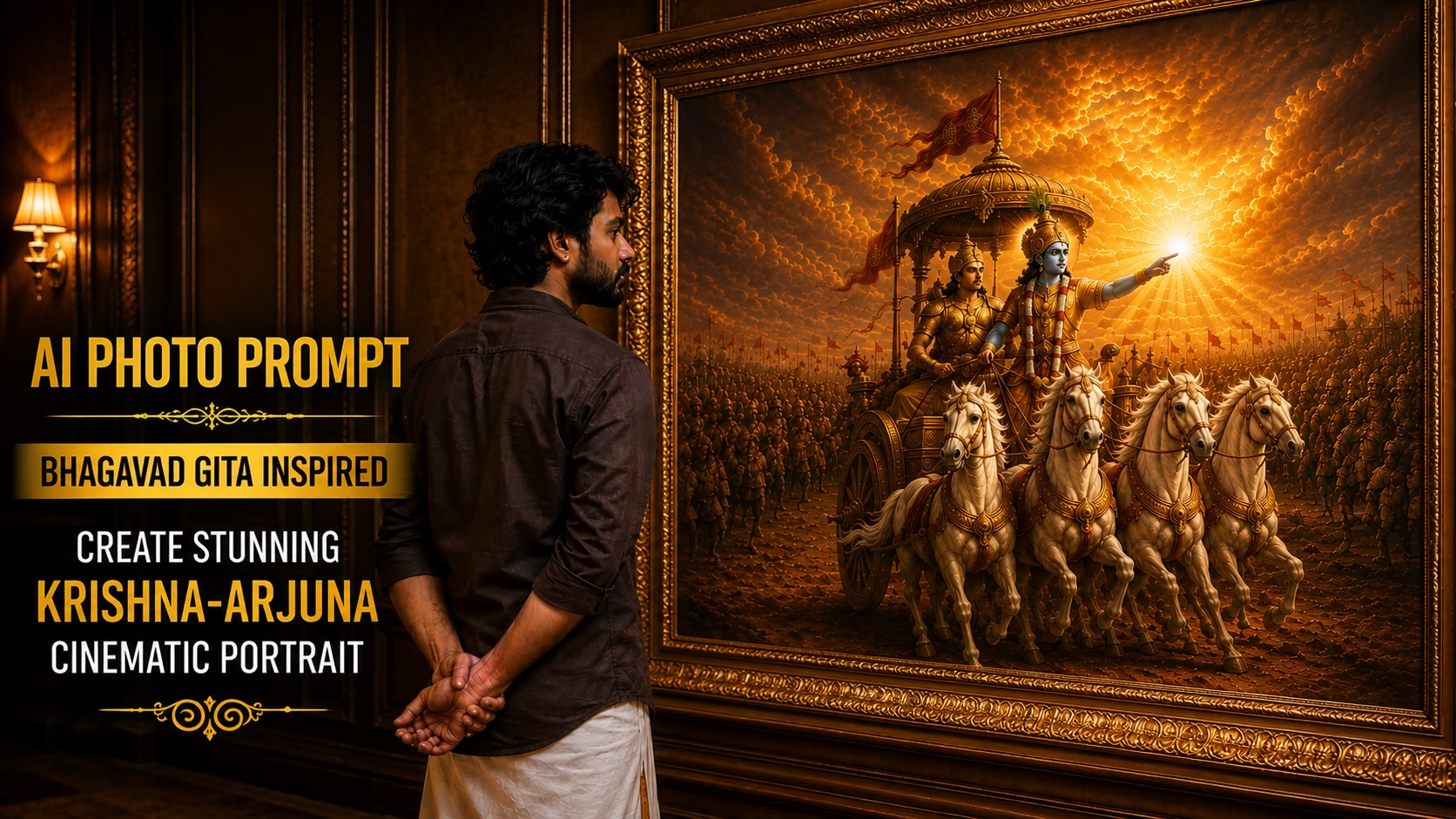
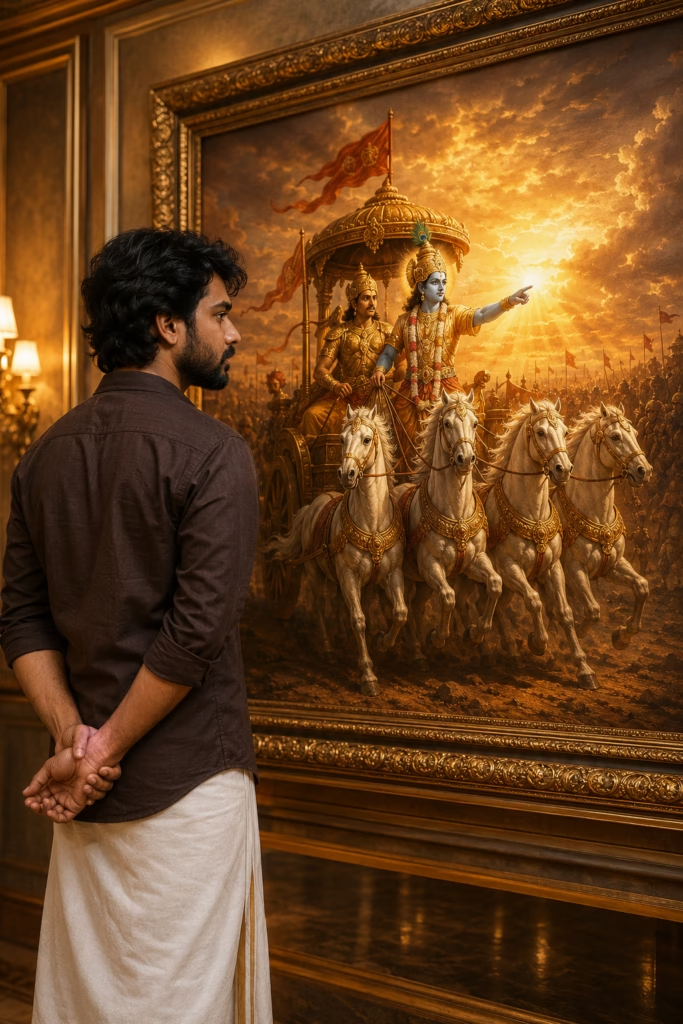
Bhagavad Gita AI Photo prompt creates a cinematic vertical portrait featuring a young Indian man standing respectfully in front of a large framed artwork depicting Lord Krishna and Arjuna on the Kurukshetra battlefield.
The person is shown from a side and back angle, wearing a dark brown shirt and traditional white dhoti. In the painting, Lord Krishna appears with radiant blue skin and divine golden armor while guiding Arjuna’s chariot through the battlefield.
The warm golden sunset, glowing clouds, dramatic lighting, detailed horses, luxurious interior, and realistic textures combine to create a premium devotional artwork.
Prompt 👇
Create an ultra-realistic cinematic portrait of the person from my uploaded reference photo. Preserve the exact facial identity, facial structure, skin tone, hairstyle, beard, and natural facial features of the uploaded person. Do not change or replace the person's face.

Show the young Indian man standing respectfully with his hands clasped behind his back, viewed naturally from the side and slightly from the back, calmly admiring a magnificent large framed painting of Lord Krishna and Arjuna on the Kurukshetra chariot from the Bhagavad Gita.

The man is wearing a dark brown shirt and a traditional white dhoti. Preserve his natural appearance and proportions while keeping his face and identity consistent with the uploaded reference photo.

Inside the magnificent painting, Lord Krishna has radiant blue skin and divine golden armor, guiding Arjuna on a grand Kurukshetra chariot pulled by four majestic white horses. The battlefield stretches into the distance beneath a dramatic golden sunset sky filled with glowing clouds and warm heavenly light.

Create a luxurious elegant interior surrounding the framed artwork, with rich dark wooden walls, an ornate golden picture frame, warm ambient lighting, subtle golden reflections, and a premium art-gallery atmosphere.

The overall mood should feel spiritual, peaceful, devotional, majestic, and contemplative. Add realistic depth of field, cinematic composition, volumetric golden light rays, photorealistic textures, detailed fabric, realistic hair, natural skin texture, dramatic shadows, cinematic color grading, HDR, ultra-detailed artwork, masterpiece quality, 8K detail.

Vertical portrait composition, 3:4 aspect ratio.

IMPORTANT: Do not change the face of the uploaded reference person. Maintain the exact facial identity and natural facial features while transforming the scene around him.
Bhagavad Gita AI Photo prompt is designed to keep the uploaded person’s facial identity consistent while changing the surrounding environment into a cinematic devotional scene. For the best result, upload a clear reference photo with the face and hairstyle clearly visible.
How to Use This Bhagavad Gita AI Photo Prompt
Follow these simple steps to create your personalized image:

- Choose a clear photo of yourself with good facial visibility.
- Upload the photo to your AI image generation tool.
- Copy the complete prompt given above.
- Paste the prompt into the image generator.
- Make sure your uploaded image is selected as the reference image.
- Generate the image and check the facial identity and overall composition.
- If necessary, generate another variation while keeping the same reference photo.
- Save the final high-quality portrait.
Tips for Better Results
For a more realistic result, use a high-resolution reference photo with good lighting and a clearly visible face. Avoid heavily edited or blurry photographs.
A portrait with natural facial features generally works better because the AI can understand the reference more accurately. You can also experiment with different reference photos while keeping the same prompt.
For social media posts, the 3:4 vertical composition works especially well for Instagram and Pinterest-style visual content.
Why This Bhagavad Gita AI Portrait Looks Unique
The main feature of this concept is the combination of a real-person portrait with a grand devotional artwork. Instead of simply placing the person inside a battlefield scene, the prompt creates the feeling that the person is respectfully observing a magnificent painting of Krishna and Arjuna.
The golden lighting, ornate frame, traditional Indian clothing, white horses, Kurukshetra battlefield, and spiritual atmosphere give the final image a cinematic and artistic appearance.
Conclusion
This Bhagavad Gita AI photo prompt is a creative way to turn an ordinary portrait into a meaningful devotional artwork. By combining your reference photo with the iconic scene of Lord Krishna guiding Arjuna on the Kurukshetra battlefield, you can create a cinematic image with a powerful spiritual atmosphere.
For the best results, use a clear reference photo and make sure the AI tool is instructed to preserve the person’s facial identity. You can also experiment with lighting, composition, and background details to create your own unique version.
You can also learn more about the Bhagavad Gita and its teachings from reliable online resources.
Also check our Hero Wall Mural AI Prompt for creating cinematic wall posters.
Frequently Asked Questions (FAQ)
1. What is a Bhagavad Gita AI Photo Prompt?
Bhagavad Gita AI Photo Prompt is a ready-to-use prompt that helps you create devotional and cinematic Bhagavad Gita-themed images using AI image generators.
2. Can I use my own photo with Bhagavad Gita AI prompts?
Yes. You can upload your photo as a reference and use the prompt to create a personalized Bhagavad Gita-themed AI image.
3. Which AI tools can I use for these prompts?
You can use AI image generators such as ChatGPT, Google Gemini, Midjourney, Leonardo AI, and other compatible AI tools.
4. Can I create Bhagavad Gita AI photos in 9:16 format?
Yes. You can modify the prompt to generate images in 9:16 format, which is suitable for Instagram Reels, YouTube Shorts, and WhatsApp Status.
5. Are these Bhagavad Gita AI photo prompts free to use?
Yes, the prompts can be copied and used to create your own AI images. However, the AI image generator you choose may have its own free usage limits or paid plans.