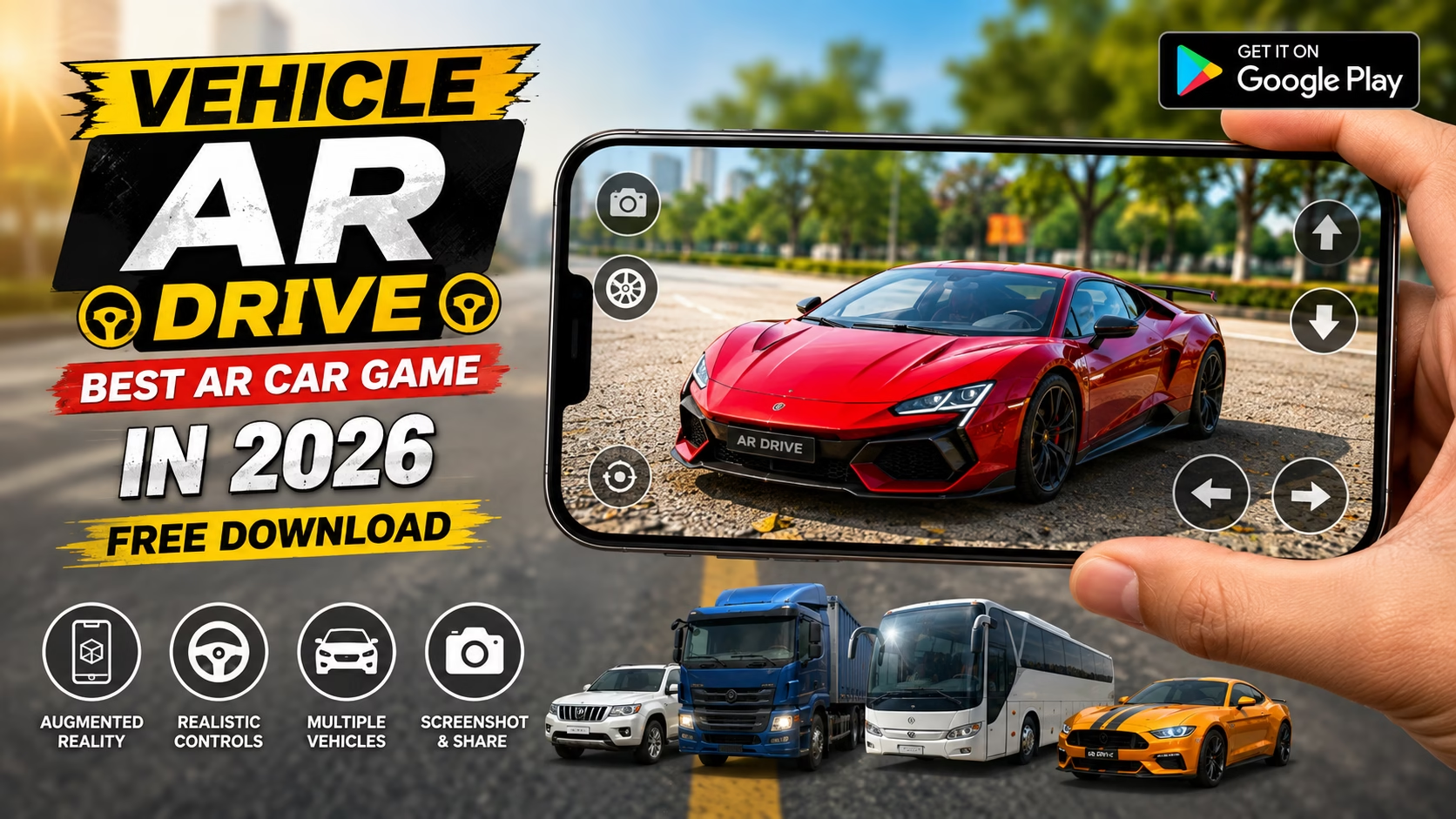
Vehicle AR Drive is an augmented reality vehicle simulation game that brings 3D cars and other vehicles into the real world through your Android device. Instead of driving only on a traditional virtual track, you can use your phone’s camera to place a 3D vehicle on a real surface and interact with it.
The game allows users to choose from different vehicle types, view them in AR, change their size and position, and drive them using on-screen controls. According to its Google Play listing, the app includes AR cars, trucks, buses, pickups, SUVs, taxis, vans and sports cars.
What Is Vehicle AR Drive?
Vehicle AR Drive is an Android augmented reality game developed by KLD Apptech. The main idea is to combine 3D vehicles with your real-world surroundings using AR technology.
After opening the AR camera, you can scan a flat surface and place a selected 3D vehicle in the environment. You can then view the vehicle in 3D and use the available controls to move and drive it.
Vehicle AR Drive Features
Vehicle AR Drive comes with several interesting AR features that make it different from regular car games.
- 3D vehicles in augmented reality
- AR car driving
- AR trucks and buses
- Pickup and SUV vehicles
- Taxi and van models
- Sports cars
- Realistic vehicle models
- Adjustable vehicle size
- Vehicle position controls
- Steering controls
- Forward and backward controls
- Brake control
- Different colors and textures
- Mixed reality experience
- Screenshot capture and sharing
- Virtual vehicles in your real environment
These features are listed on the current Google Play page for the app.
Vehicle AR Drive Free Download for Android
If you want to try Vehicle AR Drive, you can download it from the official Google Play Store.
The current Google Play listing shows 1M+ downloads. The app is free to install but contains ads and optional in-app purchases. It is currently listed under the Simulation category and has a Everyone content rating.

Vehicle AR Drive Game Link 👇
DownloadHow to Play Vehicle AR Drive
Playing Vehicle AR Drive is simple. First, open the app and select a 3D vehicle from the available menu.
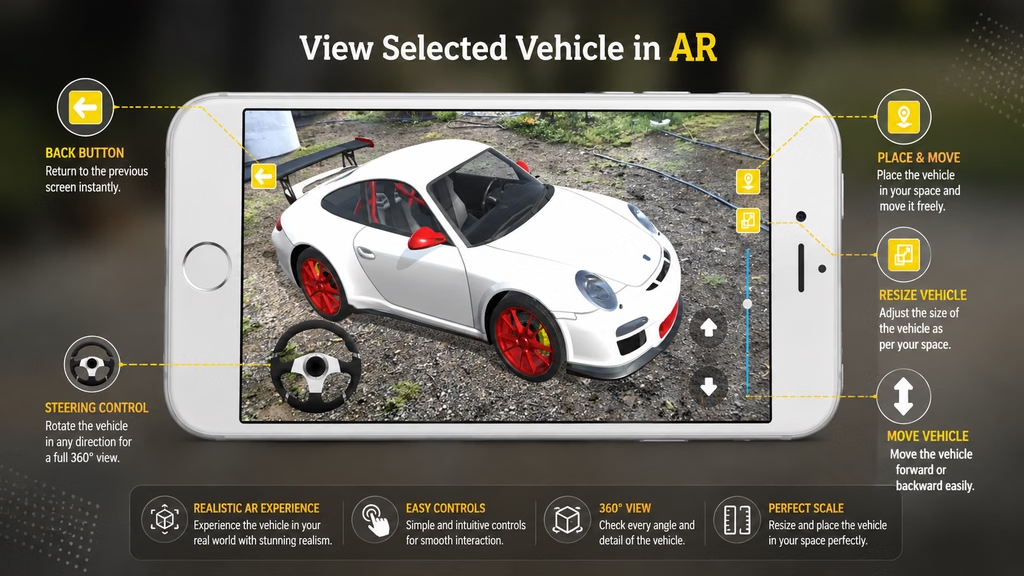
Next, start the AR camera and scan a flat surface around you. Once the surface is detected, use the option to show the selected vehicle. The 3D vehicle will then appear in your real environment.
You can use the on-screen steering, forward, backward and brake controls to interact with the vehicle. The app also provides options to change the vehicle’s size and move its position.
3D Cars and Vehicles in Augmented Reality
One of the most interesting parts of Vehicle AR Drive is the ability to view different vehicles as 3D models in your surroundings.
The Google Play listing mentions cars, trucks, buses, pickups, SUVs, taxis, vans and sports cars. You can place these virtual vehicles in your environment and adjust their size to create a more immersive AR experience.
Tips for a Better Vehicle AR Drive Experience
For a better Vehicle AR Drive experience, try the following:
- Use the app in a well-lit environment.
- Point your camera toward a clear, flat surface.
- Move your phone slowly while scanning the surface.
- Make sure your device supports the required AR functionality.
- Try different vehicle sizes.
- Experiment with different vehicle positions.
- Use the screenshot feature to capture interesting AR scenes.
Conclusion
Vehicle AR Drive is an interesting augmented reality vehicle game that lets Android users place, view and drive 3D vehicles in their real surroundings. With cars, trucks, buses, SUVs, taxis, vans and sports cars, the app offers several types of virtual vehicles to explore.
The ability to change vehicle size and position, use driving controls and capture screenshots makes the experience more interactive. If you are looking for an unusual AR car game for Android, Vehicle AR Drive is worth trying.
Frequently Asked Questions (FAQ)
What is Vehicle AR Drive?
Vehicle AR Drive is an augmented reality-based experience that allows users to view and interact with a virtual vehicle in a real-world environment using their device.
How does Vehicle AR Drive work?
It uses AR technology to place a digital vehicle into the camera view, allowing users to explore how the vehicle looks in their surroundings.
Can I view a vehicle using AR on my phone?
Yes, compatible smartphones can use AR features to display the virtual vehicle through the phone’s camera.
Can I change the vehicle’s position or view?
Yes, AR controls generally allow users to move, rotate and view the virtual vehicle from different angles.
Is Vehicle AR Drive useful before buying a vehicle?
Yes. It can give users a better visual idea of the vehicle’s design, size and appearance before visiting a showroom.